
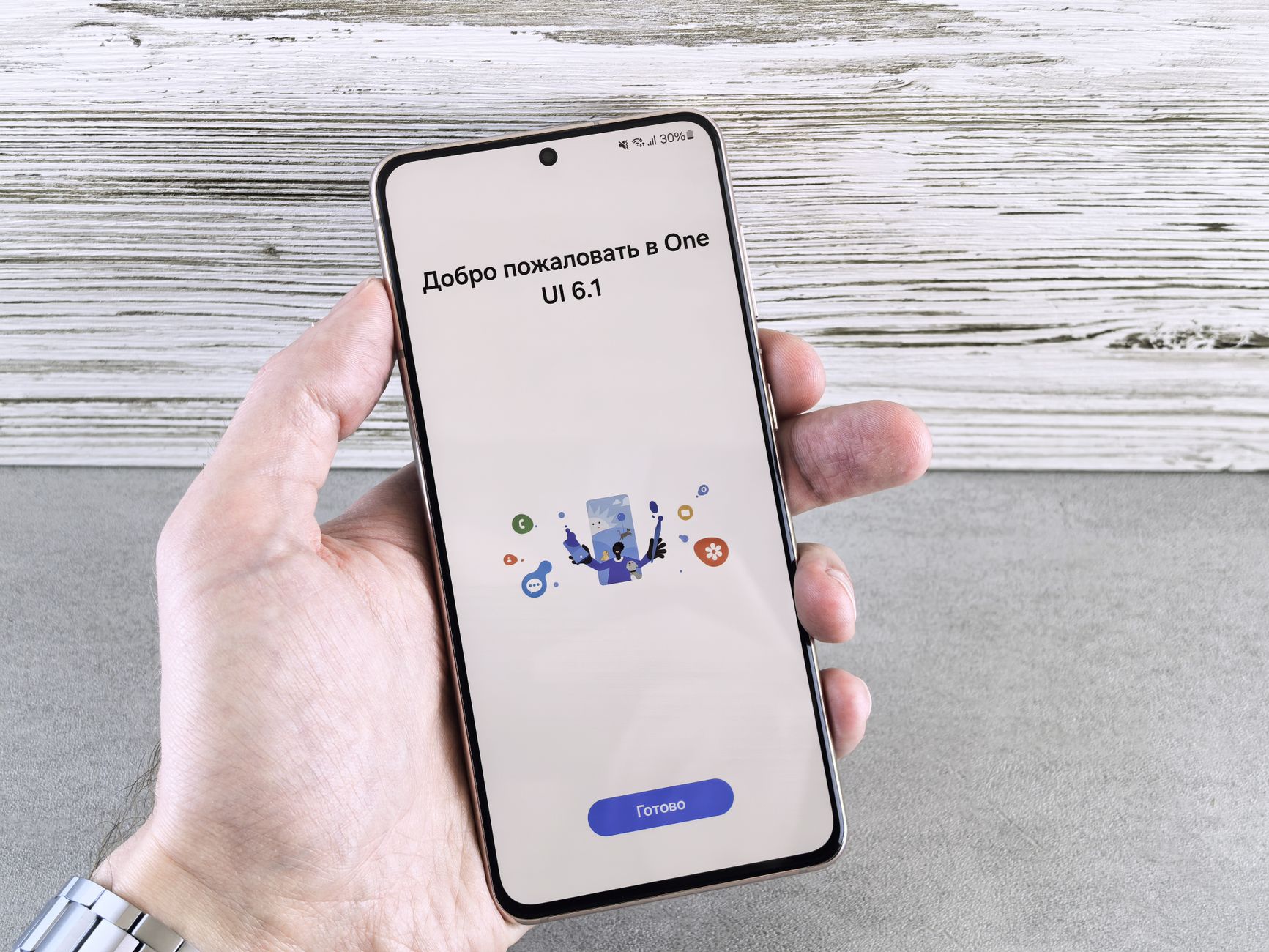
The history of One UI showcases its evolution and the innovative features it has introduced over the years. From its inception to the latest updates, this article delves into the key milestones that define One UI’s journey.
Introduction to One UI
One UI, Samsung’s custom user interface for its Android devices, has evolved significantly since its inception. Launched in November 2018, the history of One UI began with the goal of creating a simpler and more user-friendly experience for smartphone users. The interface was designed to be more intuitive, allowing users to navigate their devices with ease.
One of the key aspects of One UI is its emphasis on a cleaner visual design, which prioritizes functionality without compromising aesthetics. The interface features bold colors and rounded shapes, making it visually appealing while enhancing usability.
Over the years, various versions of One UI have introduced numerous features that cater to the needs of users. Some of the most notable updates include:
- Dark Mode: A feature that reduces eye strain and conserves battery life.
- Improved Multitasking: Enhanced capabilities for split-screen and pop-up views.
- Customization Options: Greater flexibility in personalizing the home screen and app icons.
As the history of One UI continues to unfold, it remains a vital component of Samsung’s mobile ecosystem.
The Evolution of Samsung’s UI
The evolution of Samsung’s UI has been a remarkable journey, marked by significant updates and user-focused enhancements. Since its inception, the history of One UI has showcased Samsung’s commitment to refining the user experience across its devices.
Initially launched in 2018, One UI aimed to simplify navigation and improve accessibility. This version introduced a more organized layout, emphasizing ease of use with one-handed operation. Subsequent updates built upon this foundation, with each iteration introducing new features and design elements.
- One UI 2: Released in early 2020, this version brought dark mode enhancements and refined app interactions.
- One UI 3: Launched later in 2020, it included improved widgets and a more polished visual style.
- One UI 4: Introduced in 2021, this update focused on personalization options, allowing users to customize their devices further.
With each new version, Samsung has continued to leverage feedback from users, ensuring that the history of One UI reflects the needs and preferences of its audience.
Key Features of One UI
One UI has evolved significantly since its inception, introducing a range of features that enhance user experience on Samsung devices. Key features of One UI reflect its commitment to providing a seamless and intuitive interface.
- Night Mode: This feature allows users to switch to a darker theme, reducing eye strain and saving battery life on AMOLED screens.
- Adaptive Brightness: One UI intelligently adjusts screen brightness based on ambient light conditions and user preferences, ensuring optimal visibility.
- Live Transcribe: This accessibility feature enables real-time transcription of spoken words into text, making communication easier for the hearing impaired.
- Focus Mode: Designed to minimize distractions, this feature helps users concentrate by limiting access to selected apps during designated times.
- Customizable Always-On Display: Users can personalize their lock screen with various clock styles and notifications, providing quick access to essential information.
These features showcase the thoughtful design and functionality that define the history of One UI, making it a favorite among Samsung users.
User Experience Enhancements
The history of One UI is marked by significant user experience enhancements that have consistently improved how users interact with their devices. Samsung aimed to create a more intuitive interface, resulting in a streamlined design that prioritizes usability.
One of the standout features introduced in One UI was the Night Mode, which not only reduced eye strain in low-light environments but also provided a visually appealing aesthetic. Additionally, the Focus Mode feature allowed users to minimize distractions by temporarily disabling apps.
Another enhancement was the Edge Screen functionality, which offered quick access to apps and tools without interrupting the current task. This feature exemplified how One UI tailored its design to enhance multitasking capabilities.
Furthermore, the introduction of adaptive icons gave users more customization options, allowing them to personalize their home screens. Overall, these user experience enhancements reflect Samsung’s commitment to evolving One UI, ensuring that it remains relevant and user-friendly in an ever-changing technological landscape.
Comparing One UI Versions
The history of One UI showcases a remarkable journey of innovation and refinement across its various versions. Each update has brought new features and enhancements, significantly improving user experience.
When comparing One UI versions, several key aspects stand out:
- One UI 1.0: Launched in 2018, this version prioritized a clean interface, introducing a design that emphasized usability and accessibility.
- One UI 2.0: Released in 2019, it added a more refined aesthetic with dark mode and advanced gesture navigation, enhancing the overall experience.
- One UI 3.0: In 2020, this version brought improvements like revamped notifications and enhanced multimedia features, focusing on personalization.
- One UI 4.0: Debuted in 2021, featuring even more customization options, privacy enhancements, and a more cohesive design language.
- One UI 5.0: Launched in 2022, it showcased AI-driven features and improved multitasking capabilities, further solidifying its reputation.
In summary, the history of One UI reflects Samsung’s commitment to user-centric design and continuous improvement.
Impact on Mobile Design
The impact of One UI on mobile design has been profound, reshaping how users interact with their devices. With its introduction, the history of One UI marked a shift towards a more intuitive and user-friendly interface. The design philosophy behind One UI emphasizes simplicity and accessibility, allowing users to navigate their devices with ease.
One of the most notable changes was the repositioning of elements to enhance usability. This included:
- Minimized clutter: A cleaner layout helped users focus on essential tasks.
- Dark mode: This feature not only improved battery life but also provided a more comfortable viewing experience in low-light conditions.
- One-handed use: Features such as the adjustable screen layout made it easier for users to operate their phones with one hand.
The design updates have resonated with users, creating a more engaging interaction with their smartphones. As One UI continues to evolve, its impact on mobile design remains significant, setting a benchmark for future interfaces.
Future of One UI
As Samsung continues to innovate, the history of One UI hints at a promising future for its mobile interface. With each iteration, the company has listened closely to user feedback, adapting features to enhance usability and functionality. The upcoming versions of One UI are expected to focus on several key areas:
- Enhanced Customization: Users are likely to see even more opportunities for personalizing their devices, allowing for unique aesthetic expressions.
- Improved Performance: With ongoing advancements in software optimization, future updates aim to deliver faster, more efficient performance.
- AI Integration: The integration of artificial intelligence is set to become more pronounced, providing smarter suggestions and a more intuitive user experience.
- Increased Accessibility: Expanding features for users with disabilities will be a priority, ensuring that One UI remains inclusive.
Overall, the future of One UI appears bright, with Samsung committed to evolving its interface to meet the dynamic needs of users around the globe.
Conclusion and Insights
In conclusion, the history of One UI illustrates Samsung’s commitment to enhancing user experience through continuous innovation and adaptation. Each version has brought forward significant improvements, making the interface more intuitive and visually appealing.
Key insights from our exploration reveal that:
- Adaptability: One UI has consistently evolved to meet the diverse needs of its users, embracing feedback to refine its features.
- Design Philosophy: The interface prioritizes usability, focusing on a clean aesthetic that enhances engagement with content.
- Feature Integration: Each iteration introduces tools that simplify everyday tasks, making smartphones more accessible for all users.
- Community Influence: Samsung’s responsiveness to user suggestions has fostered a loyal user base that feels invested in the platform.
As we look to the future, it is clear that One UI will continue to shape mobile design trends while ensuring a seamless experience for its users. This journey reflects not just a technological evolution but a deeper understanding of user needs.
The history of One UI showcases how Samsung has continually refined its user interface to enhance user experience. As we explore the history of One UI, we uncover the best proven features that have made it a favorite among smartphone users.
Photo by Andrey Matveev on Pexels
Read the original
SammyGuru · History of the Uyghur people
Related stories
Motorola Edge 70 Fusion: The Best Phone with Proven Features · Is the Moto G35 5G Launch the Best Tech Deal This Week? · Sovereign Cloud Adoption: Proven Benefits for India